Per-tenant Gemini key for DOCX import
Each tenant now brings its own Gemini API key for turning documents into quiz questions, stored encrypted, with no shared fallback. This page walks through why we made the change and how it behaves.
Ticket SP-720, PR #452 merged to main on 14 Sep 2026, so it is deploying to beta. Jira status: Testing. Not released to production yet.
Verification passed end to end:
Why we did this
The LMS lets an instructor upload a document and turns it into quiz questions using Google's Gemini model. Calling Gemini needs an API key, and every key has a monthly usage budget, or quota.
Now each tenant brings its own key. Quota is split per tenant, so one customer's imports can no longer starve the others.
What changed, at a glance
Per-tenant key
Each tenant keeps its own Gemini key, encrypted at rest — the same way tenant email passwords are already stored.
Admin settings page
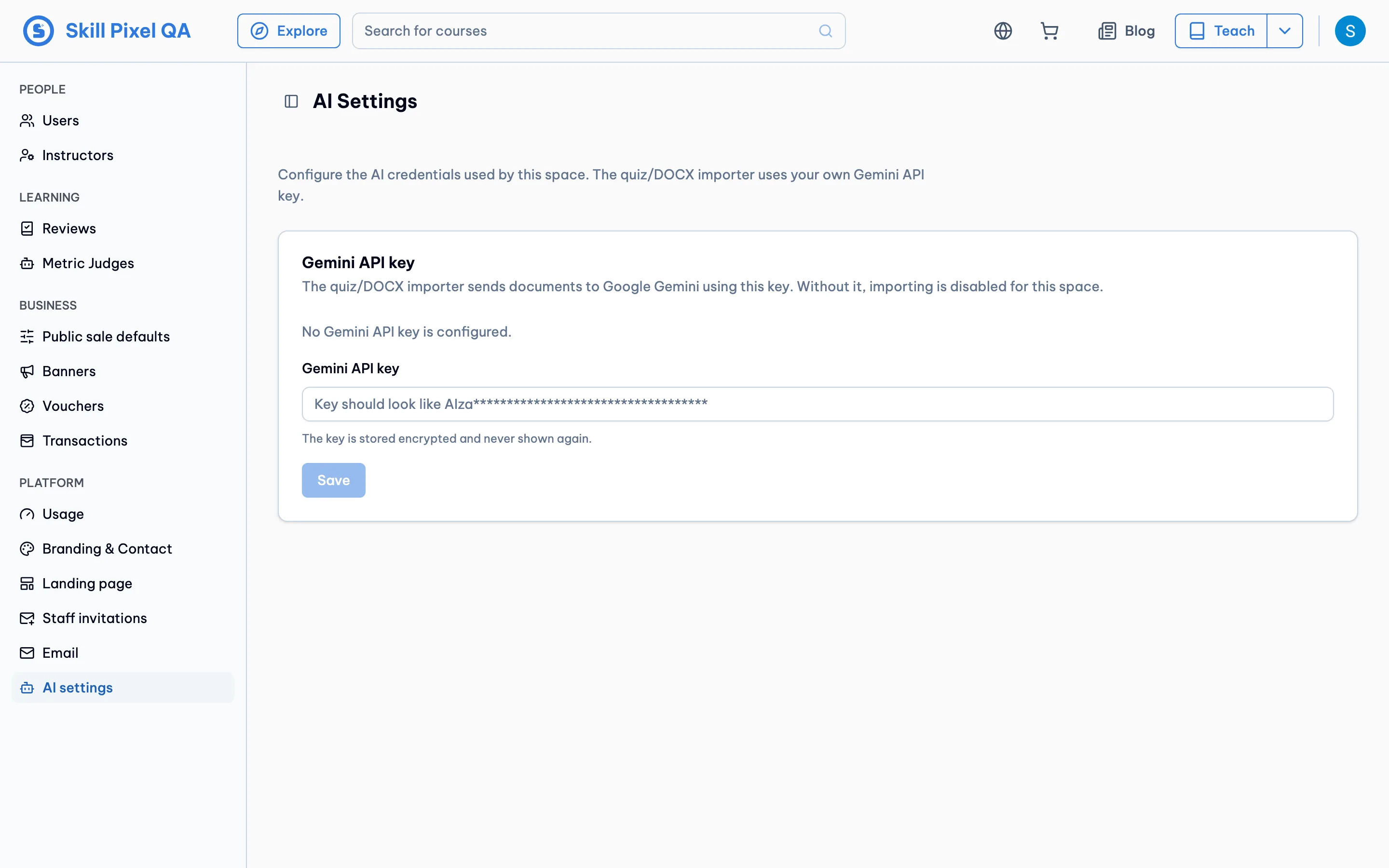
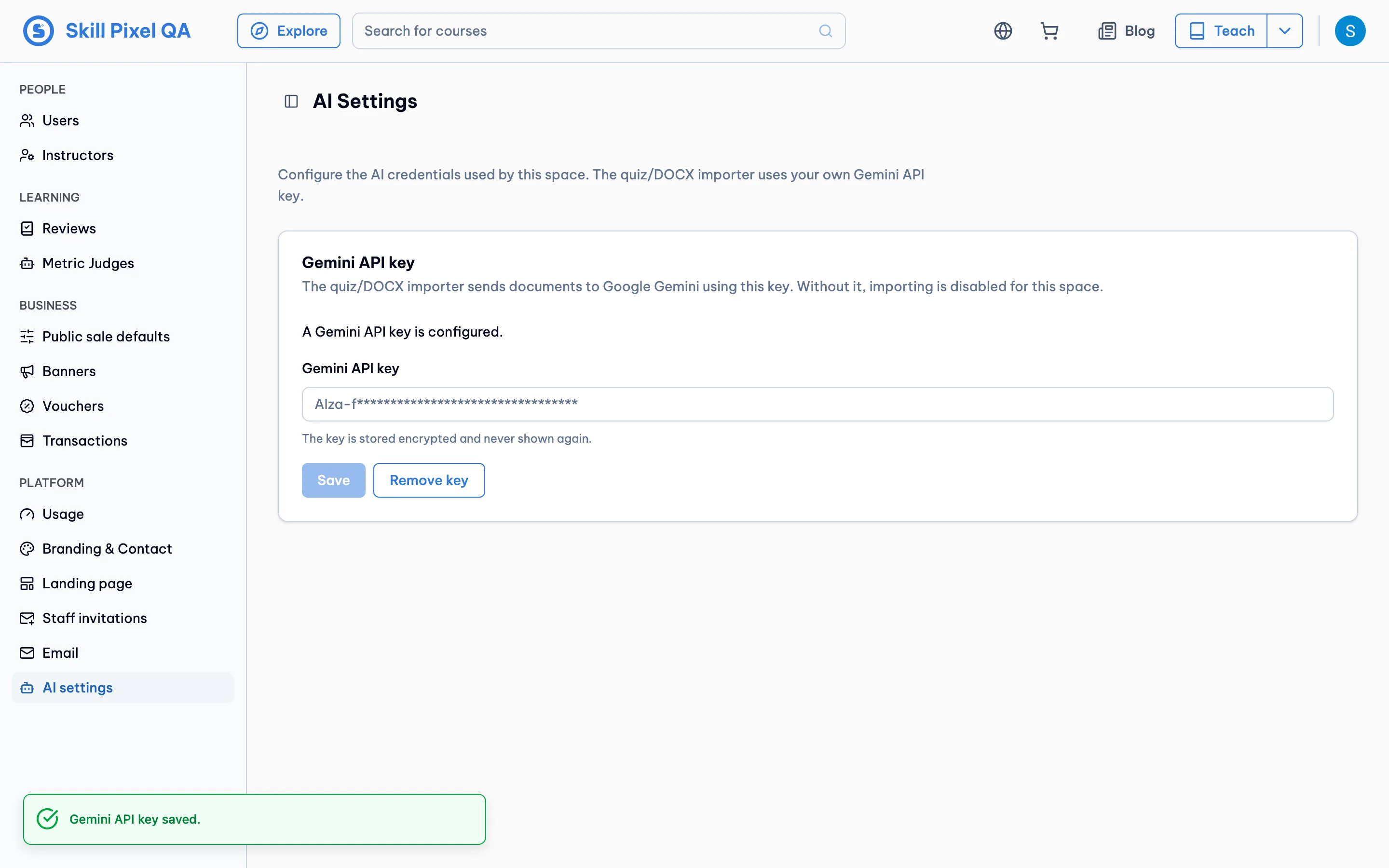
A tenant's own admin adds, replaces, or removes the key from a new AI settings page. The key field shows the saved key's prefix followed by asterisks when a key is set, and the expected shape when none is. The AI settings menu and page only appear when DOCX import is enabled for the tenant.
Operator card
The platform operator can manage any tenant's key from a card in the tenant's Features tab. Its key field uses the same hint: the saved key's prefix plus asterisks when set, the expected shape when not.
Tenant key only
Document import reads only the tenant's own key, looked up fresh on every request.
No global fallback
If a tenant has no key, import stops with a clear error instead of quietly using the shared key.
Before
One shared global key. Read once when the service started. Same key for every tenant, so any tenant could drain the quota for all.
After
Each tenant's own key, decrypted at request time. No key means the import stops. Quota stays inside each tenant.
How it works
When an instructor uploads a document, the backend looks up the current tenant's key before doing any real work.
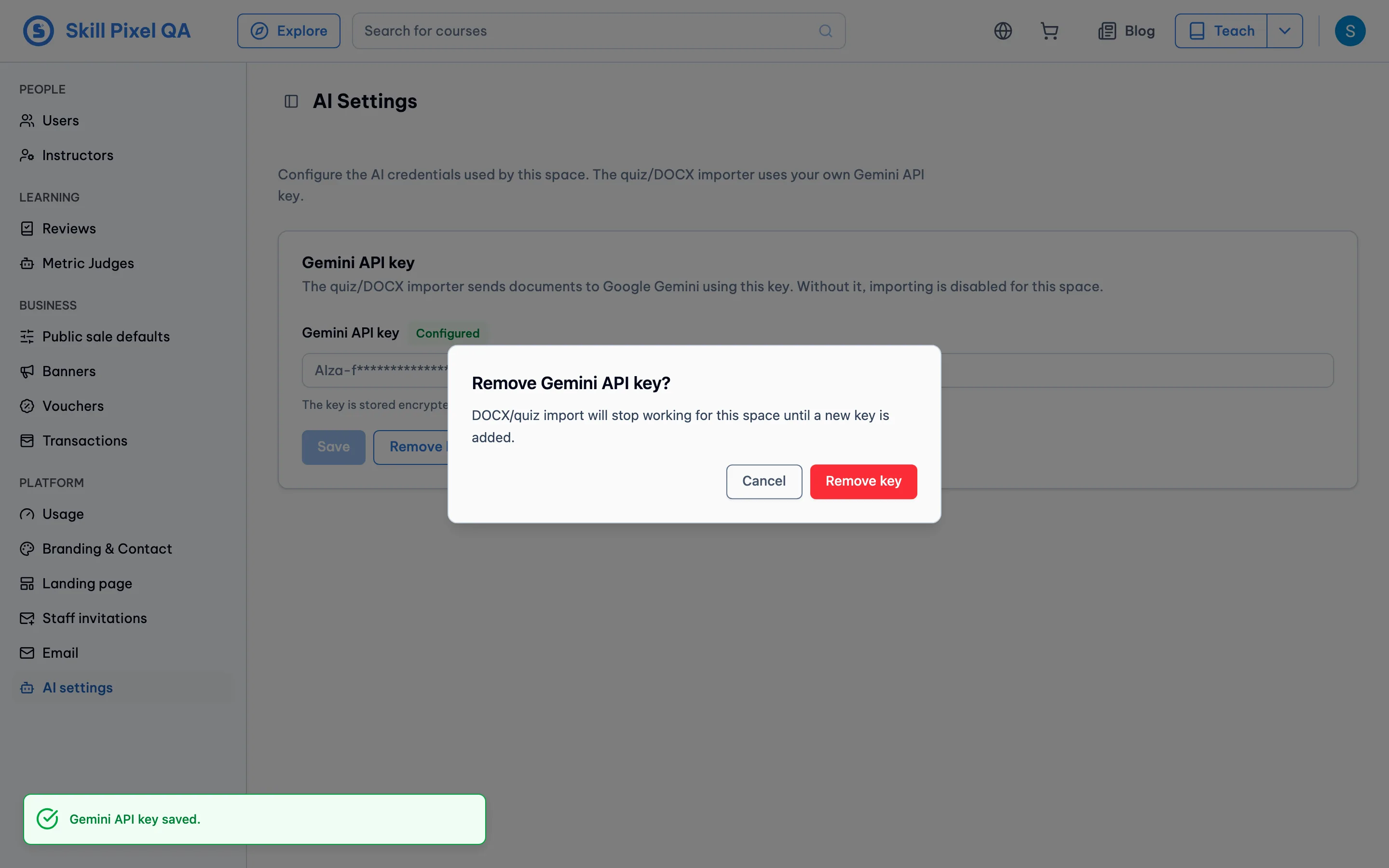
A tenant with no usable key gets a 412 · gemini_api_key_missing back. In plain terms: the import is blocked because this tenant has not set up a key yet. The UI turns it into a message telling the user to ask their admin to add one. No import job is started.
The API never returns the key itself — it only answers whether a key is configured and, at most, the key's first few characters so the UI can hint at the saved value. The secret stays inside the backend.
Screenshots
Real UI captured against a local full build of this branch, at 1440×900.
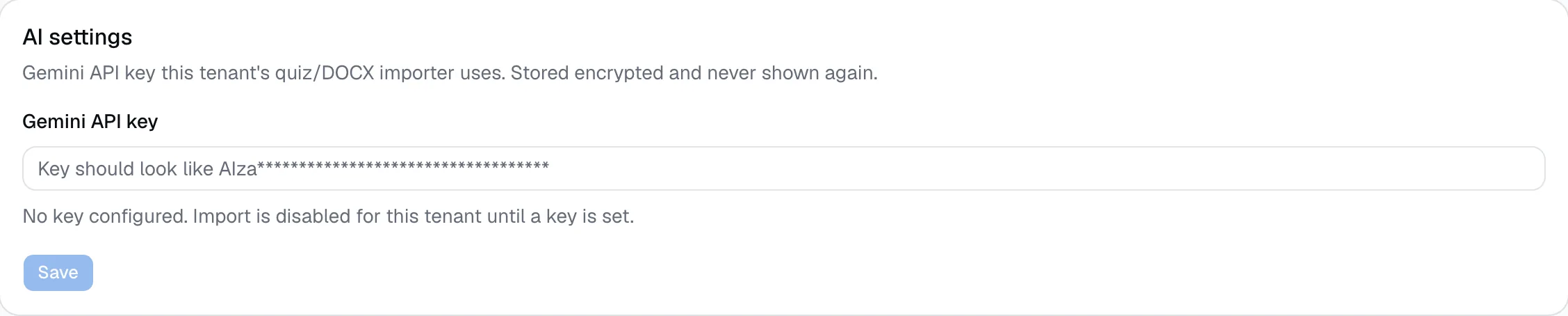
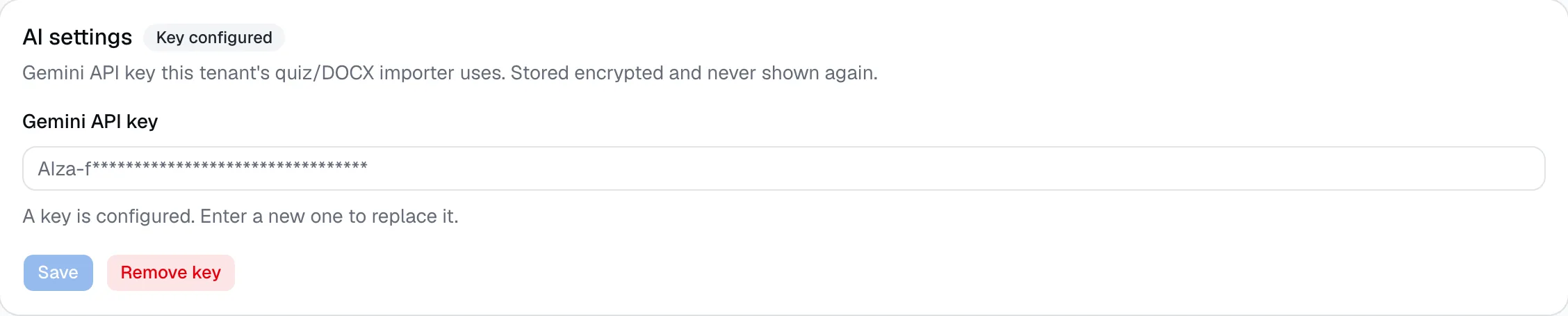
LMS admin — AI settings
The tenant's own admin manages the key here. Empty first, then after saving: the badge next to the field label flips to “Configured”, the input clears, and a Remove key button appears.
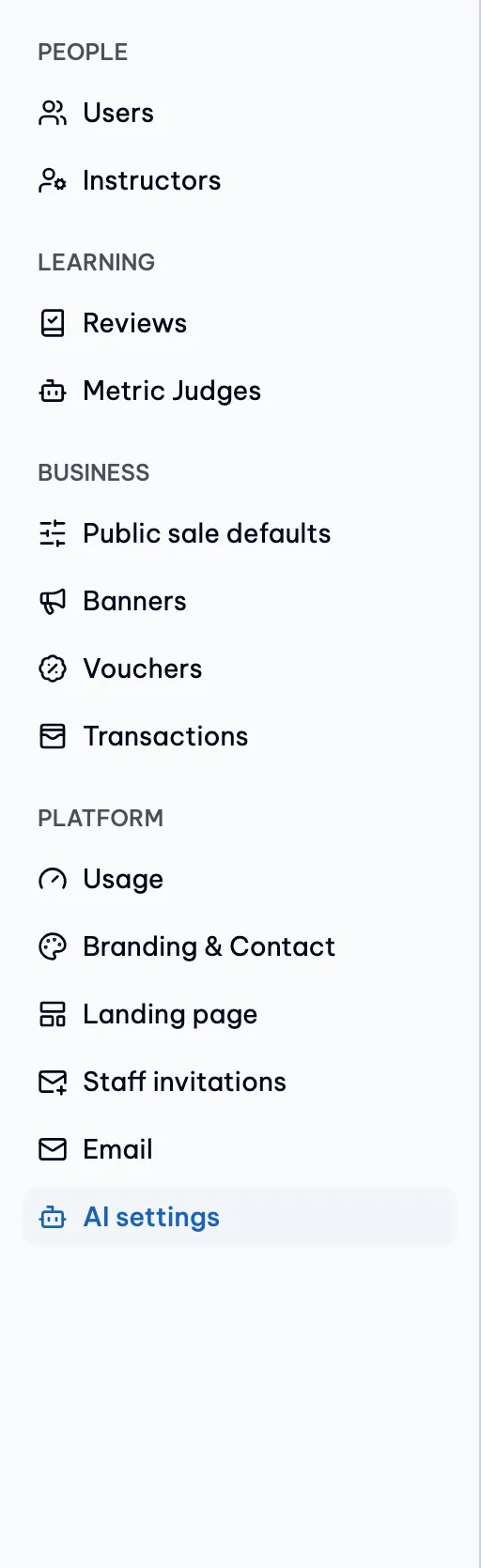
A new AI settings entry was added to the admin sidebar.
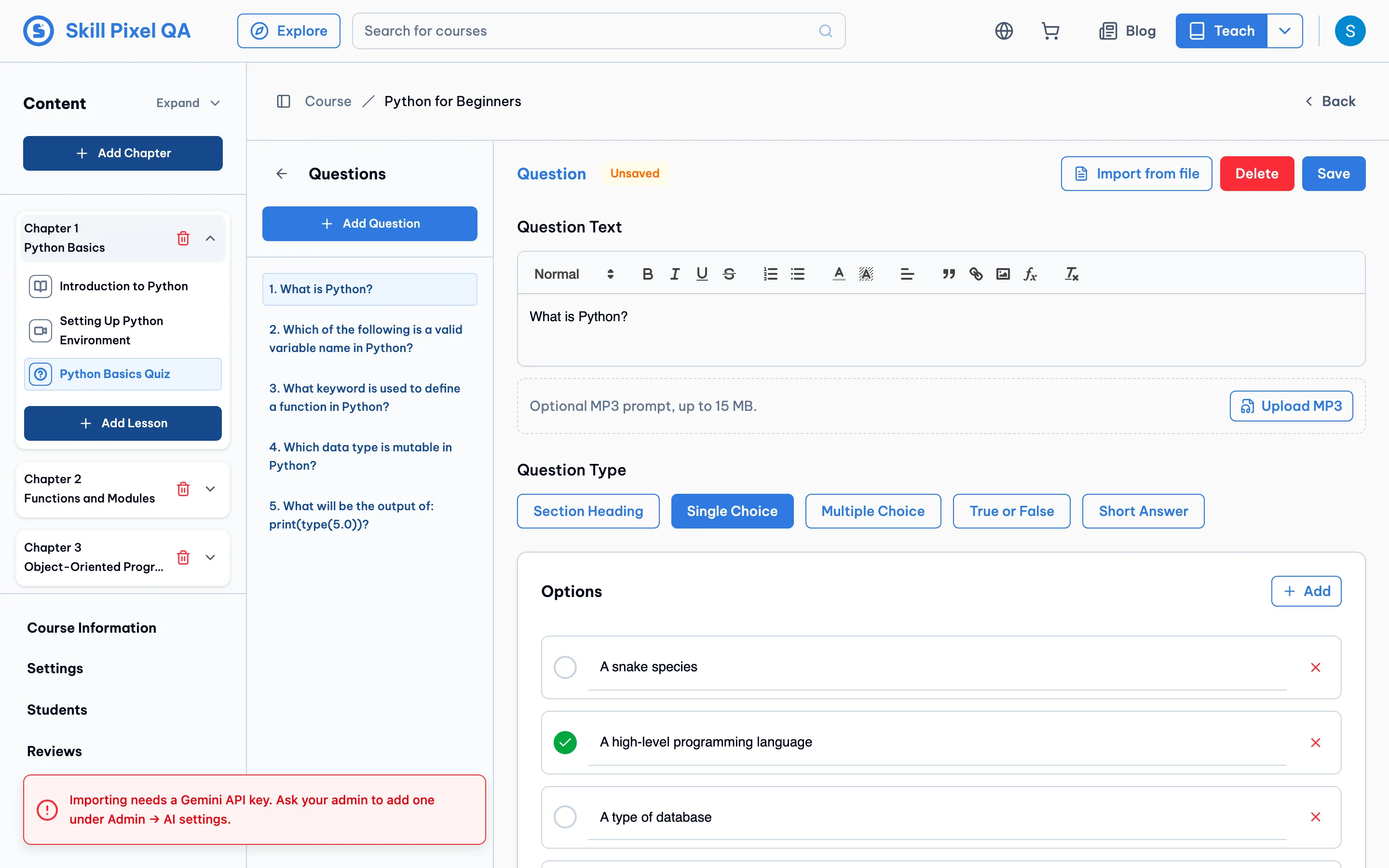
Quiz import blocked when no key is set
With the key removed, uploading a file in the quiz importer returns the missing-key error. The UI maps it to a message pointing back to the AI settings page.
Platform admin — AI settings card
Operators manage any tenant's key from the tenant Features tab. Empty first, then with a “Configured” badge next to the field label and a Remove action after saving.
Operator checklist
What must be true so document import keeps working after this ships.
- Set the app encryption key on beta and prod. Without it, saving a tenant key fails and no key can be stored. It is the same key already used for tenant email passwords, so beta and prod likely have it already — confirm it is set.
- Every tenant that uses document import must add a key after deploy. There is no global fallback, so a tenant with no key sees imports fail. Add keys for active tenants around rollout time.
- Where to set the key:
- LMS, for a tenant's own admin: Admin → AI settings.
- Platform admin, for the operator on any tenant: open the tenant → Features tab → the AI settings card.
- The migration is safe to run first. Older app versions ignore the new column, so you can run the migration before the app deploy.
- Other Gemini features are out of scope. The AI tutor, study buddy, course refresh, and demo chat all still use the shared global key. Only document import changed.
Where to look
The main files behind this change.
- Encryption + key resolveapps/backend/app/services/tenant_ai_settings.py
- Import flowapps/backend/app/services/docx_import.py
- LMS admin pageapps/frontend/src/pages/Admin/AiSettings.tsx
- Quiz import error handlingapps/frontend/src/pages/Instructor/CourseDetail/sections/QuizQuestionEditor.tsx
- Platform-admin cardapps/platform-admin/src/components/tenant/ai-settings-card.tsx
- Migrationapps/backend/app/alembic/versions/…_add_tenant_ai_settings_column.py